Screen Printing vs. Digital Printing: 7 Dos and Don’ts for Custom Apparel
 Posted By Kendra Kountz —
Kendra is the Copywriting Support at Custom Ink. She has a background in art but she loves writing, so she finds a compromise between the two by creating comics in her free time.
SHARE:


Sixty-seven percent of people who order custom apparel consider it a success only if the recipients actually choose to wear it, according to our 2026 Swag Trends Survey. The bar for custom swag is high, and your chosen printing method plays a major role in clearing it.
From our decades of experience in custom printing, we know that disappointing results always trace back to a single root cause: the design, fabric, and printing method were working against each other.
Whether you’re ordering a dozen shirts for a small team or hundreds for a large-scale event, your logo must adapt to the specific print medium. This guide breaks down the dos and don’ts of screen printing and digital printing and how choose the right printing method, so your custom apparel looks exactly as you intended.
In This Article
- Screen Printing vs. Digital Printing: A Quick Reference
- Do #1: Match Your Printing Method to Your Design and Order Size
- Do #2: Start With High-Resolution or Vector Art
- Do #3: Choose Your Fabric With the Printing Method in Mind
- Do #4: Keep Your Print Placement Flat and Away From Seams
- Don’t #1: Print on Dark Garments Without a White Underbase
- Don’t #2: Wash Your Digital Prints the Same Way You Wash Screen Prints
- Don’t #3: Keep Adding Colors Without Thinking About Cost
- Frequently Asked Questions
Key Takeaways
- Method matching is the highest-leverage decision. 67% of buyers define swag success by whether recipients voluntarily wear the item, and pairing the right printing method with your design and fabric is the single biggest factor in getting there (Custom Ink 2026 Swag Trends Survey).
- Fabric composition is a print decision, not a comfort-only consideration. 100% cotton is the ideal surface for both screen printing and DTG; high-polyester fabrics need DTF or specialty inks to produce vibrant results that hold up over time.
- Color rules are completely different by method. Screen printing adds cost with every additional ink color because each one requires a separate screen. Digital printing handles unlimited colors at the same price, which changes how smart designers approach their files.
Screen Printing vs. Digital Printing: A Quick Reference

For custom t-shirts, screen printing still holds the largest market share at 56%, but digital printing is the fastest-growing segment at a projected 12.5% CAGR through 2030, per Grand View Research.
We analyze every apparel order based on your design, fabric choice, and quantity to find the best printing method for your product. In most cases, the decision is automatic and you won’t need to select one. Understanding why we choose one over the other helps you design with the result in mind.
Use this quick breakdown to see how your design file needs to adapt to different print styles.
| Screen Printing | Digital Printing (DTG/DTF) | |
|---|---|---|
| Best design type | Bold spot colors, 1–7 colors, simple graphics | Photos, gradients, fine details, unlimited colors |
| Minimum quantity | Typically 12–24+ items | 1+ items (see no-minimum products) |
| Color cost | Per ink color (Each requires a separate physical screen) | Flat rate per placement (Unlimited colors included) |
| Best fabrics | 100% cotton, 50/50 cotton-poly blends | 100% cotton (DTG); most fabrics including poly (DTF) |
| Dark garments | Requires white underbase (adds a color to the count) | DTG applies white underbase automatically |
| Durability | Excellent: 50+ washes with standard care | Very Good: Requires cold washes and low dryer heat |
| Best use case | Team uniforms, events, large runs, simple logos | Personalized items, small runs, photo tees, detailed artwork |
4 Rules for Getting Perfect Prints on Your Custom Apparel
1. Match Your Printing Method to Your Design and Order Size
Screen printing uses a physical stencil for each color in your design. A three-color logo requires three separate screens, which means the setup process is more involved and the per-unit cost drops significantly as quantity increases.
Choose screen printing: if your design has four or fewer solid colors and you’re ordering 24 or more identical items.
Digital printing works more like an inkjet printer: the design goes directly onto the garment or onto a film transfer without color-specific screens, so a 12-color gradient and a two-color graphic cost the same to print.
Go with digital printing: if your design has gradients, photographic detail, or more than six colors, or if you need fewer than 12 items.
Designing with this distinction in mind helps you get more out of your artwork from the start. Still not sure? Don’t worry, we evaluate this for every order, so you won’t end up with the wrong method.
2. Use Vector or High-Resolution Files for Your Artwork

Print equipment requires ultra-clear data to produce sharp edges on fabric.
For Screen Printing: Vector files (.AI, .EPS, .SVG) are the gold standard because screen prints are made from clean color separations. A vector graphic has hard edges that translate directly into a crisp, opaque ink layer.
For Digital Printing: The printer can handle photos and complex gradients. For that, you’ll need high-resolution raster images (.PNG or .JPG) that are 300 DPI or higher at the actual print size. A logo that looks sharp at 72 DPI on a phone screen will look blurry at 10 inches on a shirt.
Get Started: Upload what you have and we’ll tell you if it needs adjustment. Every order goes through a free design review by our team before production begins. If your file needs cleaning up, our design experts can rework artwork at no extra cost.
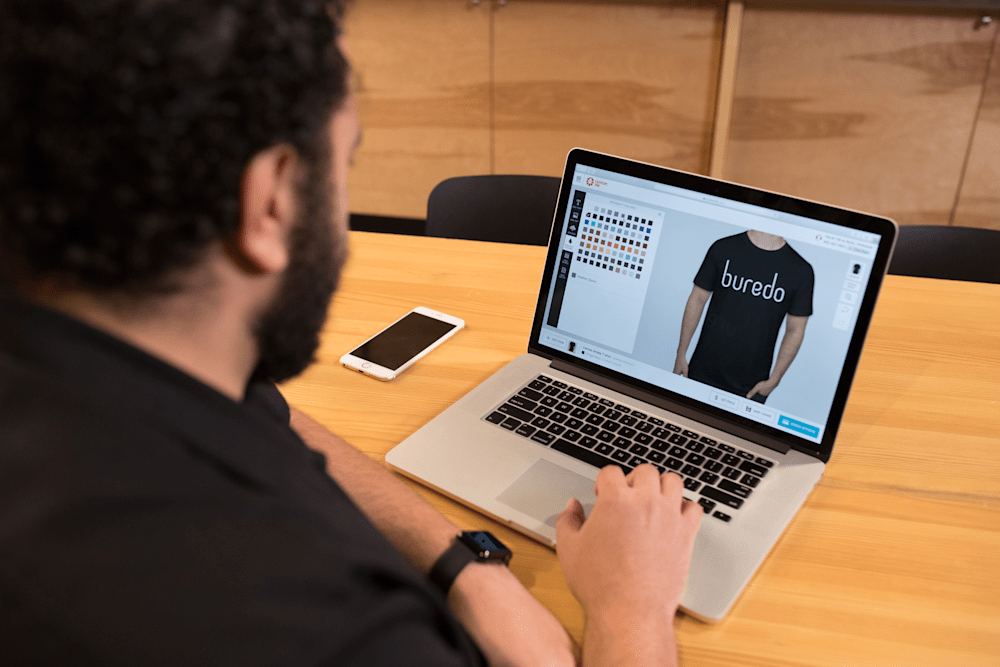
You can also start from scratch or build around your existing logo in our Design Lab, which gives you a real-time preview of how the design looks on your chosen product and color before you order anything.

“The shirts came out great, everyone has been so happy with the color and crisp design!”
Featured Products From This Story
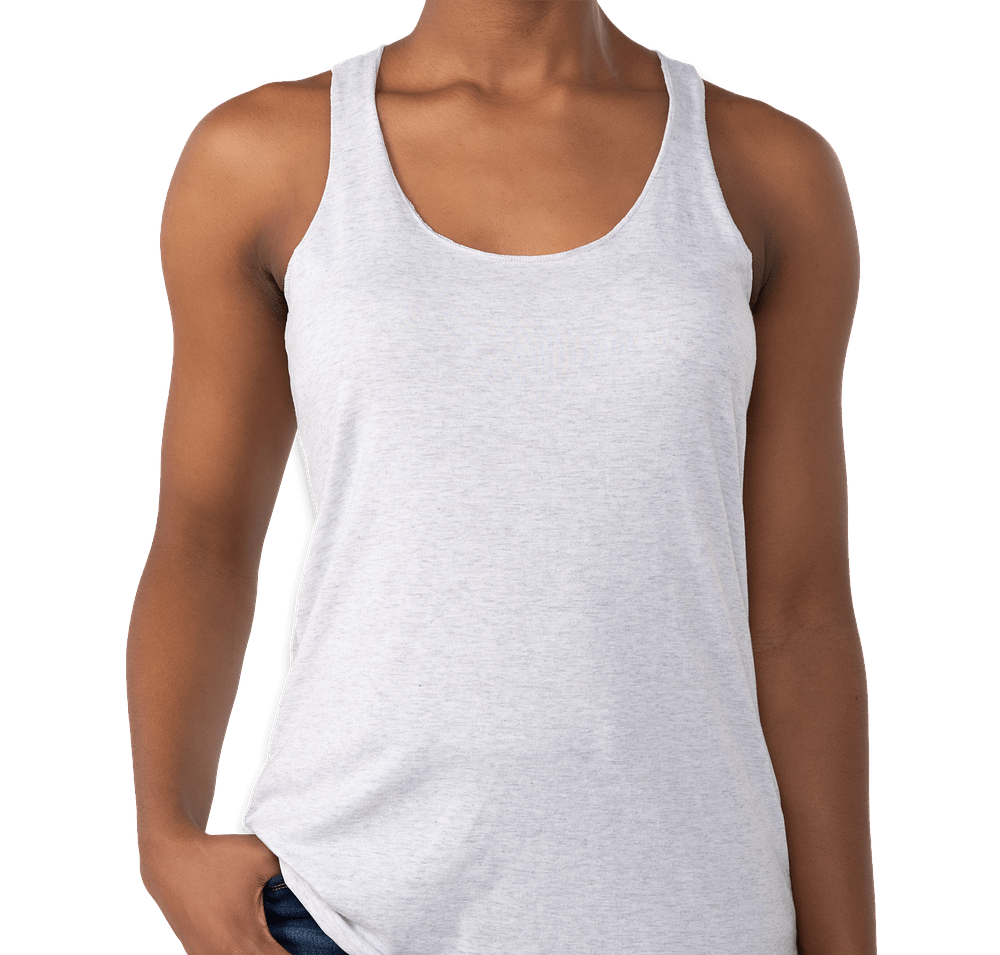
Next Level Women’s Tri-Blend Racerback Tank
- 4.3 oz., 50% polyester / 25% combed ring-spun cotton / 25% rayon; relaxed racerback fit with flatlock finished hems; fabric-laundered for reduced shrinkage
- The heathered tri-blend texture prints beautifully with screen printing; the higher polyester content makes DTF the safer choice for bold color on dark colorways to avoid dye migration
- Available XS-2XL; side seams; tear-away label
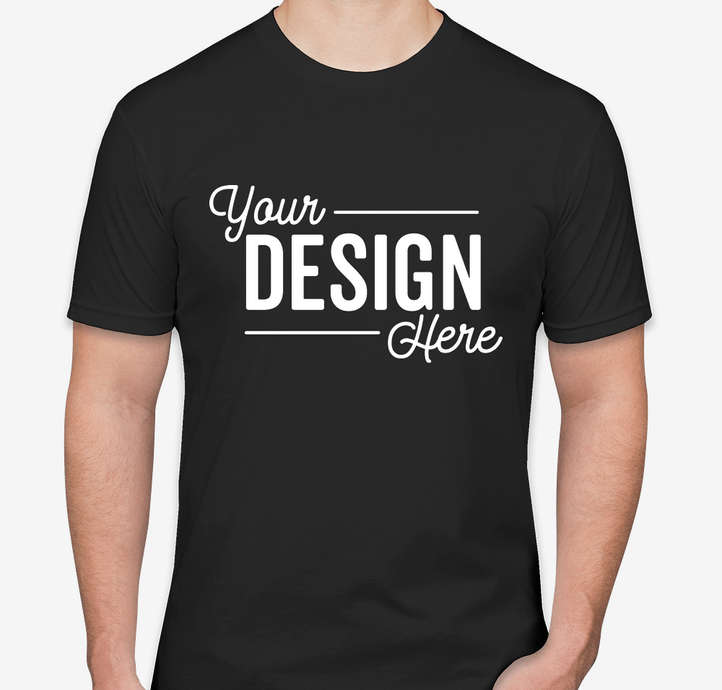
Next Level Unisex Jersey T-Shirt
- 4.3 oz., 100% combed ring-spun cotton fine jersey; 32 singles; fabric laundered for reduced shrinkage; retail fit
- The all-cotton surface makes this an excellent canvas for both screen printing and DTG digital printing
- 1×1 baby rib-knit collar; side seams; tear-away label; available up to 4XL in select colors
3. Choose Your Fabric With the Printing Method in Mind
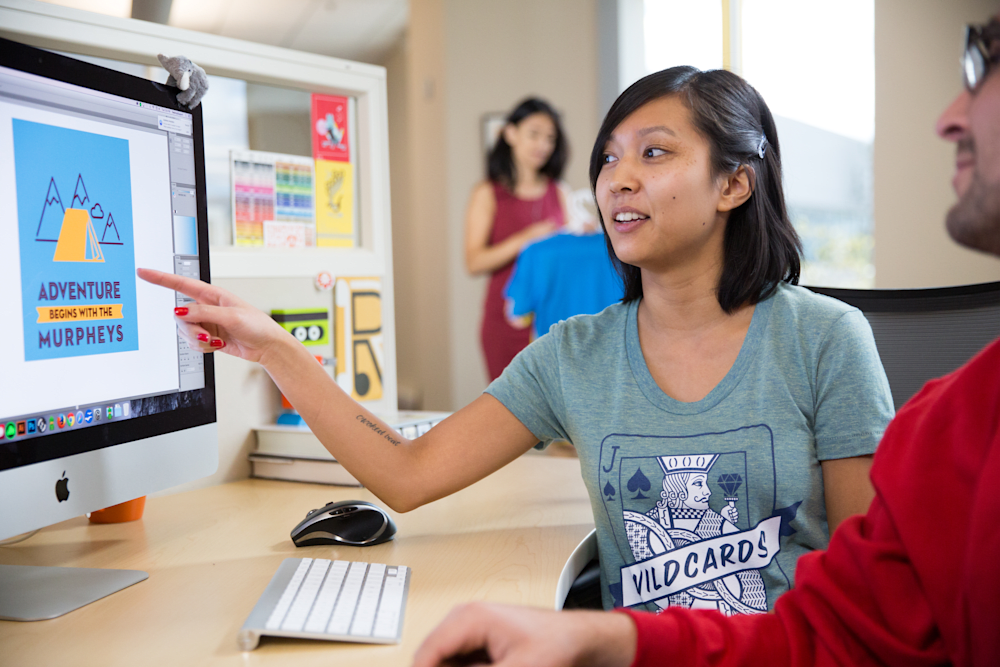
If you’ve ever ordered a performance shirt and wondered why the colors looked duller than they did on the mock-up, the fabric was probably the culprit.
The fiber content of your garment directly affects how ink bonds to the surface, how vibrant the final color looks, and how long the print holds up through washing.
According to our 2026 Swag Trends Survey, 65% of swag buyers rate smart fabric features like moisture-wicking properties as very or extremely important for daily wear. Performance fabrics are increasingly common in orders, which makes the fabric-method relationship more important to understand than ever.
- Screen printing:
- Yes: Performs best on 100% cotton and 50/50 cotton-poly blends. Cotton fibers absorb plastisol ink cleanly and cure reliably at standard temperatures. 100% cotton remains the most reliable surface for vibrant, accurate screen-printed results.
- No: High-polyester fabrics carry a dye migration risk. During the ink curing process, heat causes polyester dyes to sublimate into a gaseous state, which can bleed into the ink layer and dull your colors. Low-bleed inks reduce this risk, but isn’t guaranteed.
- DTG (direct-to-garment) digital printing:
- Yes: Performs best on cotton-rich fabrics. The water-based inks used in DTG bond to cotton fibers
- No: High-polyester blends resist the ink and produce duller, less saturated results. For 100% polyester or most activewear fabrics, DTG is not the right choice.
- DTF (direct-to-film) digital printing: The most fabric-flexible of the three methods.
- Yes: Because the design is printed onto film and heat-transferred rather than applied directly to fibers, DTF bonds to cotton, polyester, nylon, and most blends. If you want full-color prints on performance apparel or synthetic fabrics, DTF is the answer.
4. Keep Your Print Placement Flat and Away From Seams

Both screen printing and digital printing need a flat, even surface to produce a clean print. The front and back of most t-shirts are smooth and consistent, which is why they produce sharp results every time. The problem comes when a design is placed over a ridge: a zipper track, a pocket seam, a neckline seam, or the kangaroo pocket on a hoodie. Where the printing surface is uneven, the ink can’t contact the garment consistently, which creates gaps, blurred edges, or ink build-up in the finished print.
The safe approach: Keep your design zones at least two inches away from any structural seams. A few specific areas to approach with care:
- Hoodie front pockets: Print above the pocket, not across it. If your design needs to span the full chest, choose a crew neck sweatshirt or a pullover without a front pocket.
- Polo and zip-up collar seams: Designs that run into a collar seam or button placket will show the interruption. Keep the design zone a few inches below the neckline.
- Sleeve seams: Large sleeve prints work well on flat garment sections, but designs that wrap from front to back across a sleeve seam will show a break. Our design team flags these during the pre-production review.
Our Design Lab places your design on the actual product template, which makes placement issues easy to spot before you order. If something looks off, our Inkers can help you adjust the placement at no extra charge.
3 Costly Mistakes to Avoid When Ordering Custom Shirts

1. Don’t Screen Print on Dark Garments Without a White Underbase
Screen printing inks are not fully opaque. If you print a golden yellow directly onto a navy tee without preparation, the color will come out muted, dull, or nearly invisible against the dark fabric.
The fix is an underbase layer: a white ink printed first, onto which the actual design colors are applied. The underbase creates a bright neutral surface so colors appear true and vivid regardless of the shirt’s base color.
Intentionally skipping the underbase creates a vintage, faded look on dark garments, which is a valid creative choice. But if crisp, accurate colors on a dark garment are the goal, the underbase is required.
A note on cost: An underbase adds one color to your ink count, which increases cost on screen-printed orders. A two-color design on a black shirt becomes a three-screen job (the white underbase plus two design colors). Plan for this when you’re deciding on color count and budget.
For digital printing, this is handled automatically. DTG printers apply a white underbase layer before printing the design colors, so you get accurate color on dark garments without thinking about it or paying extra.
2. Don’t Wash Your Digital Prints the Same Way You Wash Screen Prints

Screen-printed garments are incredibly forgiving in the laundry. The plastisol inks used in screen printing fuse into the fabric surface during curing and hold up through dozens of washes without significant fading. Standard laundry care for screen printed designs: machine wash cold, inside out, no bleach. That’s genuinely all that’s needed.
DTG-printed garments need more attention. The water-based inks bond to fabric fibers but sit closer to the surface and are more sensitive to heat and certain chemicals. Here’s what to do (and avoid) to protect a digital print in the wash:
- Turn inside out before washing: Reduces abrasion on the ink surface during the wash cycle.
- Cold water only: Hot water accelerates ink breakdown on DTG prints.
- Skip dryer sheets: The fabric softening compounds coat the ink surface and can cause dulling or peeling over time.
- Low heat in the dryer, or hang dry: High dryer heat damages the bonding of DTG inks. Hang drying extends print life noticeably.
- No iron directly on the print: If you need to iron a DTG garment, iron inside out or use a pressing cloth.
We include care instructions on all orders. The people who get years of great-looking wear out of their printed gear are almost always the ones who follow those instructions from the start.
3. Don’t Keep Adding Colors Without Thinking About Cost
This rule applies to screen printing only, and it’s one of the most common ways orders get more expensive than they need to be.
In screen printing, each color in your design requires a separate screen. A one-color print needs one screen. A five-color print needs five. Every additional screen adds to the setup and production cost, which raises the per-unit price.
The practical advice: Before finalizing your design for a screen-printed order, ask yourself whether each color is earning its place. A subtle gradient shadow or a fine-detail photographic element might look good in your design file, but add two unnecessary ink colors to a screen-printed version.
Simplifying that element into a flat color, or removing it, keeps the design strong while controlling the cost.
If you’re going with digital printing, none of this applies. Digital printing handles unlimited colors at the same price per unit, which is one of the main reasons it’s the right fit for detailed, full-color artwork.
Need help simplifying a design for screen printing without losing what makes it work? Our design team handles this for free as part of every order review. They’ve helped thousands of customers adapt artwork between methods while keeping the original look intact.

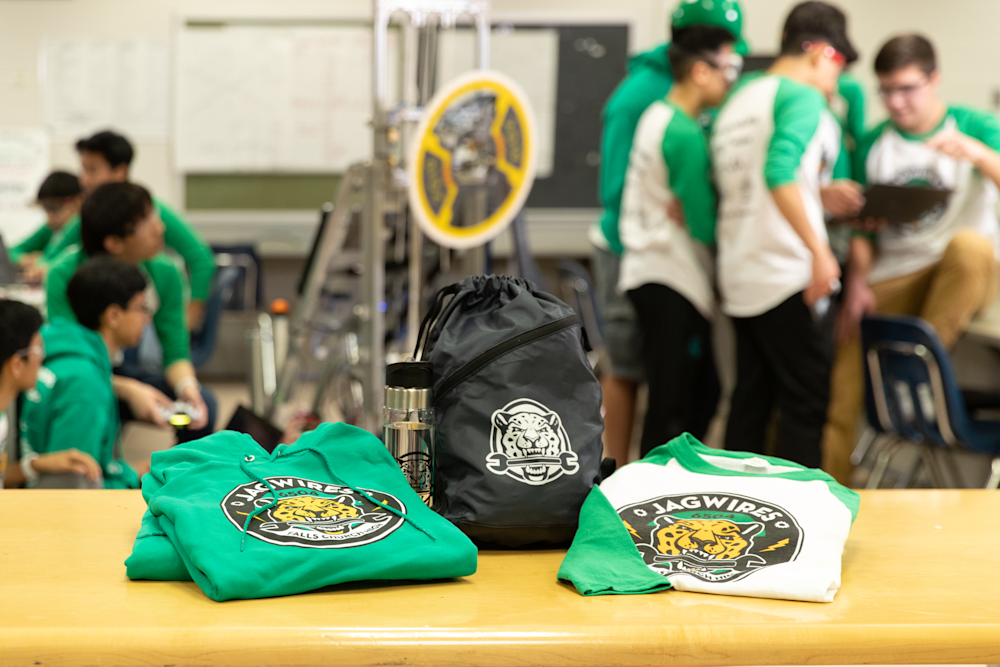
“AP Biology Class Shirts! The front shirt was hand drawn, and Custom Ink did a great job with the screen printing!”
Karina W. | View full story
Featured Products From This Story
Gildan 100% Cotton T-Shirt
- 5.3 oz., 100% preshrunk U.S. cotton (solid colors); 20 singles; seamless body with taped neck and shoulders
- Dense cotton surface absorbs plastisol ink cleanly; the industry standard canvas for screen-printed event and team apparel
- Classic fit; double-needle stitched sleeves and hem; tearaway label; available S-5XL
Gildan Women’s 100% Cotton T-Shirt
- 5.3 oz., 100% preshrunk cotton; missy contoured fit with side seams for a more fitted silhouette than the unisex version
- Same dense cotton surface as the classic unisex Gildan tee; prints cleanly with screen printing for bold, vibrant results
- Available S-2XL; tearaway label; taped neck and shoulders; double-needle construction
Custom Apparel Design Inspiration
Frequently Asked Questions on Printing Custom Apparel
Q: How do I know if my custom apparel order will be screen printed or digitally printed?
We choose the printing method for every order based on your design, garment, and quantity. In most cases you won’t need to make a selection yourself. If you want to understand the recommendation for your specific order, our team is happy to walk you through it. Understanding both methods helps you design smarter, but the technical decision is handled by us.
Q: What’s the minimum order for screen-printed custom apparel?
Screen printing typically requires a minimum of 12-24 items depending on the product, because physical screens are made for each color in your design. For smaller orders, our no-minimum products use digital printing and have no order minimum. The larger your order, the more economical screen printing becomes per unit.
Q: Does digital printing fade faster than screen printing on custom apparel?
Screen printing has a durability edge in raw terms, but DTG digital prints hold up well for years with proper care. The biggest variable for both methods is wash routine. Turn garments inside out, use cold water, skip dryer sheets, and use low heat or hang drying. Both screen-printed and digitally printed gear last significantly longer when care instructions are followed consistently.
Q: Can I upload my own logo for custom printed apparel?
Yes. Upload your file directly in the Design Lab and our team reviews it for print quality before production. Vector files (.AI, .EPS, .SVG) produce the sharpest results for screen printing. For digital printing, high-resolution PNG or JPEG files at 300 DPI or higher at actual print size work well. If your file needs adjustments, our design experts can help at no extra charge.
Q: What fabrics work best for screen printing vs. digital printing on custom apparel?
100% cotton and 50/50 cotton-poly blends are the most reliable surfaces for screen printing. High-polyester fabrics carry a dye migration risk that can dull ink colors. For DTG digital printing, 100% cotton is ideal; high-poly blends resist the water-based inks and produce weaker results. For DTF digital printing, most fabrics work well, including polyester and synthetic blends, because the design is heat-transferred on film rather than applied directly to the fibers.
Q: How far in advance should I order custom printed apparel?
Orders arrive at your door within 2 weeks with our free standard shipping. If you need items sooner, rush options are available for an additional charge. For events, we recommend ordering at least two weeks out to allow time for any design adjustments before production begins.
Ready to see how both methods look on the product you have in mind? Browse our full custom apparel catalog, start designing in the Design Lab, or reach out to our team for a recommendation based on your specific design, quantity, and deadline.

Kendra is the Copywriting Support at Custom Ink. She has a background in art but she loves writing, so she finds a compromise between the two by creating comics in her free time.